There are 8 bits in a byte. There is No Shortcut to be A Great ABAP Programmer and It's Applies to All.
Showing posts with label Webdynpro. Show all posts
Monday, January 14, 2019
Wednesday, February 7, 2018
Webdynpro Run Time Analysis - SAT / SE30
I. How to create a performance trace for a Web Dynpro Application:
1. Please create a new variant in transaction SE30 (WEBDYNPRO for example).
2. Go to the corresponding service of your application in SICF and start the performance analysis (Edit menu → Runtime analysis → Activate): select variant (WEBDYNPRO), choose "High" for the measurement precision and "Single entries" for the processing.
3. Start application and recreate the steps where the performance problem facing.
4. Deactivate the performance analysis (Edit menu → Runtime analysis → Deactivate)
II. To evaluate the trace within transaction SE30 or SAT:
1. Go to the tab 'Evaluate'.
2. Select from the table the measurement with the highest 'runtime' value 3. Double-click it
4. Go to tab 'Hit list'
5. Sort in decreasing order the results by 'Net (microsec)' time
6. The Statements/events in the top rows would take up the most time by the application.
Reference :
https://launchpad.support.sap.com/#/notes/2327539
Reference :
https://launchpad.support.sap.com/#/notes/2327539
Sunday, January 15, 2017
Radio Button Group By Key, Dynamic Populate
1. Put below code in the WDOINIT.
DATA l_nd_inf TYPE REF TO if_wd_context_node_info.
DATA l_nd TYPE REF TO if_wd_context_node.
DATA l_wa TYPE wdr_context_attr_value.
DATA lt_wa TYPE TABLE OF wdr_context_attr_value.
"NODE NAME OF THE NODE HAVING THE ATTRIBUTE
l_nd = wd_context->get_child_node( 'SELECTION' ).
l_nd_inf = l_nd->get_node_info( ).
l_wa-text = 'X'.
l_wa-value = 'V1'.
APPEND l_wa TO lt_wa.
l_wa-text = 'y'.
l_wa-value = 'V2'.
APPEND l_wa TO lt_wa.
l_wa-text = 'Z'.
l_wa-value = 'V3'.
APPEND l_wa TO lt_wa.
l_wa-text = 'A'.
l_wa-value = 'V4'.
APPEND l_wa TO lt_wa.
l_nd_inf->set_attribute_value_set(
name = 'MODEL' "ATTRIBUTE NAME
value_set = lt_wa
).
Output
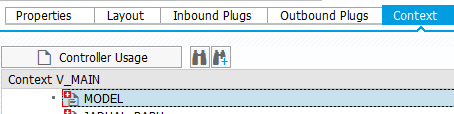
Context View
Friday, September 23, 2016
Class to Create Webdynpro URL
This is the class to construct Webdynpro URL based on the Application Name
" Obtain the URL cl_wd_utilities=>construct_wd_url( exporting application_name = 'ZHR_EXAMPLE' in_parameters = lt_parameter
importing out_local_url = url ).
Subscribe to:
Posts (Atom)